Stay ahead of rising costs

Track supplier price changes from every invoice

CostBeacon reads supplier invoices, extracts every line item, and alerts you when product costs move, so operators can protect margins without spreadsheet tracking.

30-day free trial · No credit card required

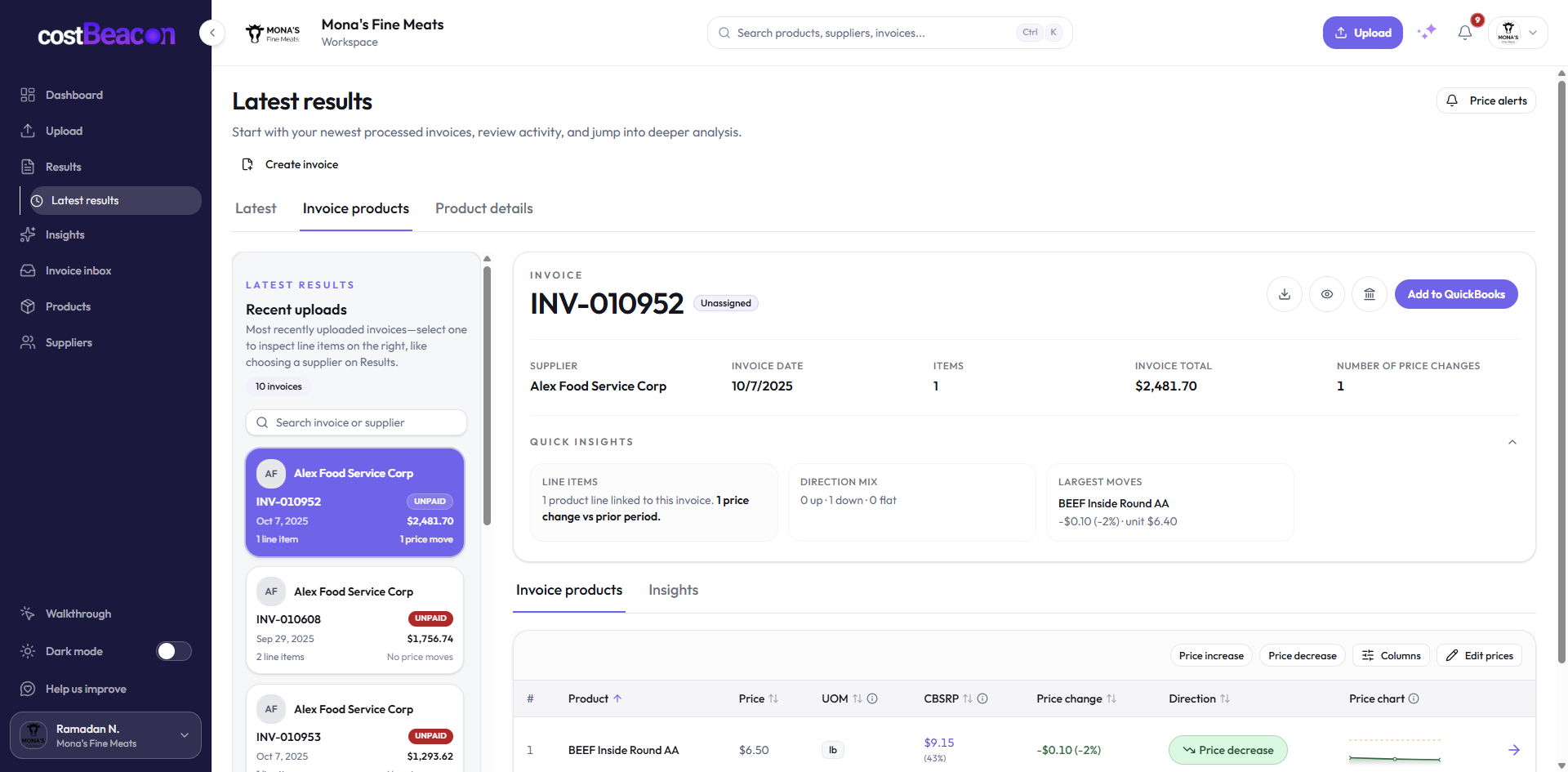
CostBeacon dashboard showing price change detection
Modern distribution warehouse with staff moving inventory between pallet racks

Manual tracking

The old way breaks at scale

Most teams check supplier prices manually: opening PDFs, comparing line items, updating spreadsheets, and hoping someone notices when costs creep up. That might work for a few invoices. It breaks when vendors, products, and locations multiply.

What gets flagged

What CostBeacon catches

CostBeacon turns routine invoices into a short review queue: which supplier moved, which product changed, and what needs attention before month-end.

Latest invoice June 13
Supplier Recurring vendor
Item Qty Unit Cost
Case A 12 case +8.7%
Capture

Supplier movement

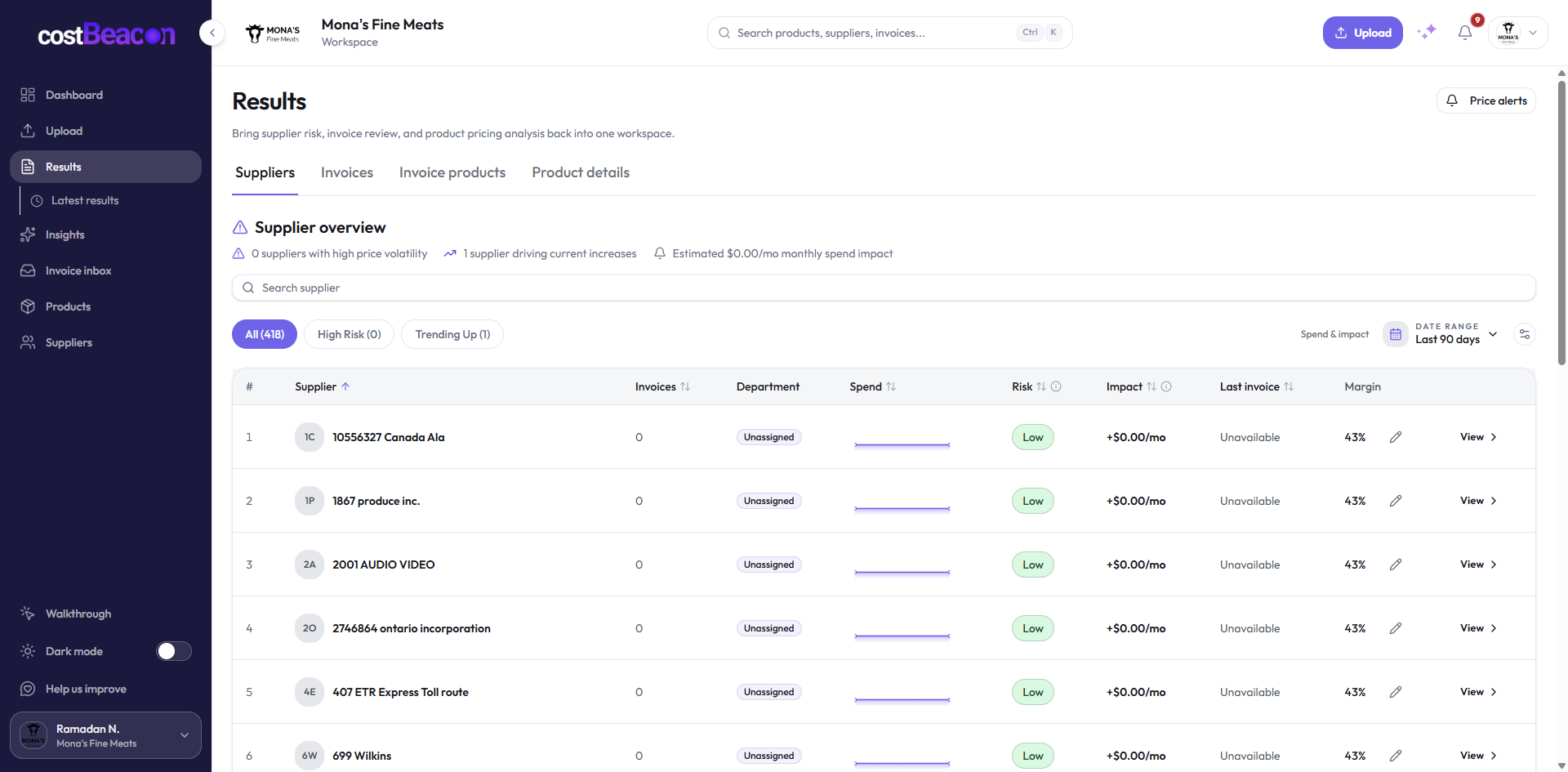
Price increases, vendor cost creep, and supplier changes that need review.

Detect

Product-level changes

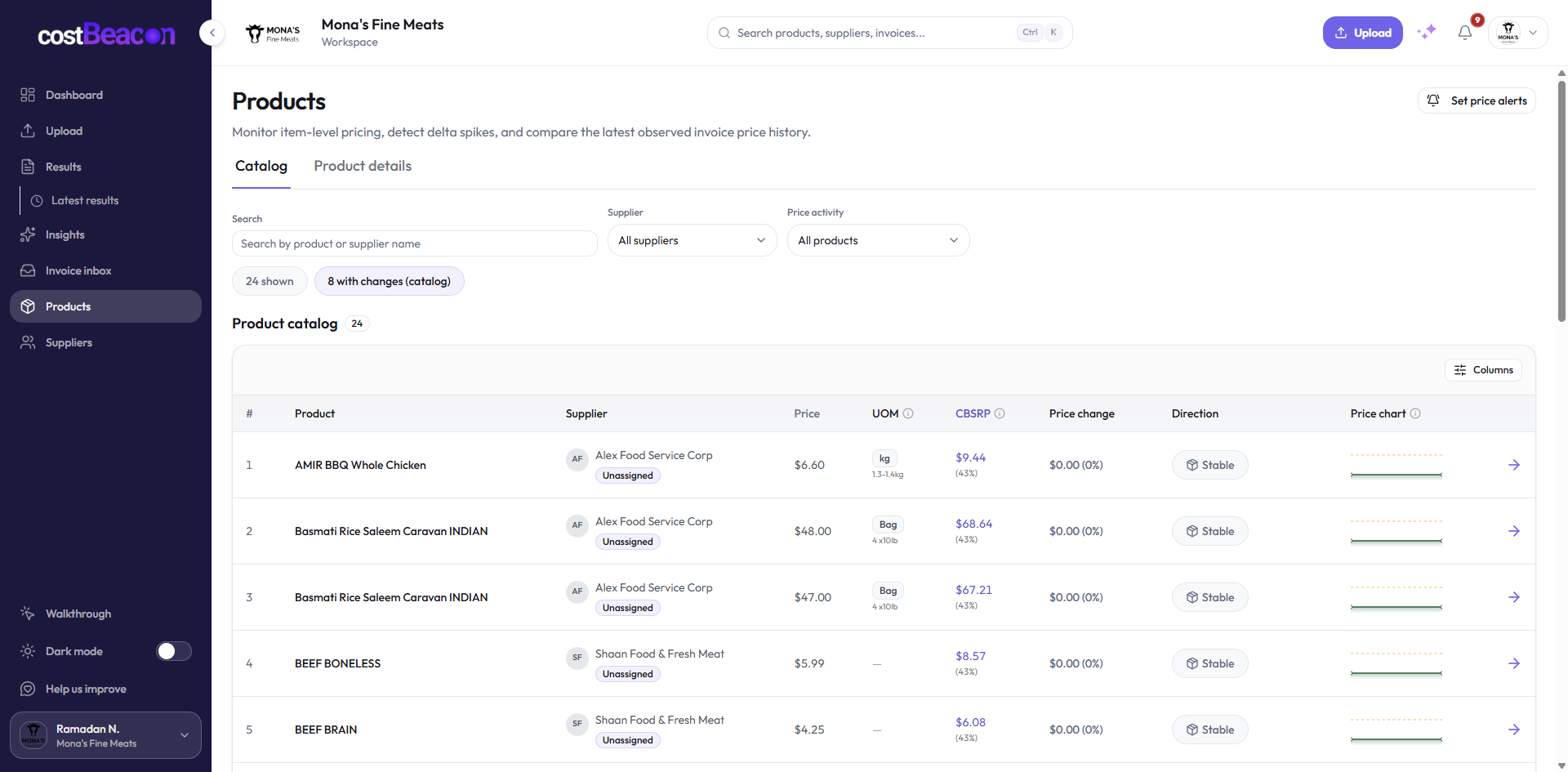
Unit cost movement over time, recurring items, quantities, and units of measure.

Decide

Margin pressure

Invoice-backed alerts that show which products may need action before month-end.

MatchProduct line to cost history
CompareLatest invoice vs baseline
FlagSupplier changes to review

Why teams use CostBeacon

Protect margin. Catch price changes.

Protect your margins

Real-time price monitoring flags increases before they impact margin. See which suppliers are creeping up and act while you still have leverage.

Alert on every price change

Smart alerts surface cost increases before they hit your bottom line. Every alert links to the invoice behind it, with no detective work.

Customer story

“Before CostBeacon, we’d lose entire afternoons digging through line items. Now alerts pop up with the invoice ready to review.”

Recovered enough supplier overspend in the first month to cover a full year of CostBeacon.

CEO, Mona Group

See it on your invoices

How it works

Upload. Extract. Get alerted.

Upload invoices in seconds, let the AI extract every detail, and get alerted before costs spiral.

Upload an invoice

Snap a photo or drag and drop PDFs, emails, or scans.

Let the AI do the work

CostBeacon extracts prices, quantities, vendors, and SKUs automatically.

Get notified

Smart alerts surface changes quickly, so teams can focus on decisions, not spreadsheets.

Inside the app

Invoice intelligence you can act on

Click through the core workflows. Each screen is from the live product.

Upload invoices in CostBeacon

Upload in bulk or one at a time

Assign suppliers, submit PDFs or photos, and let processing run in the background, usually under a minute per invoice.

Integration

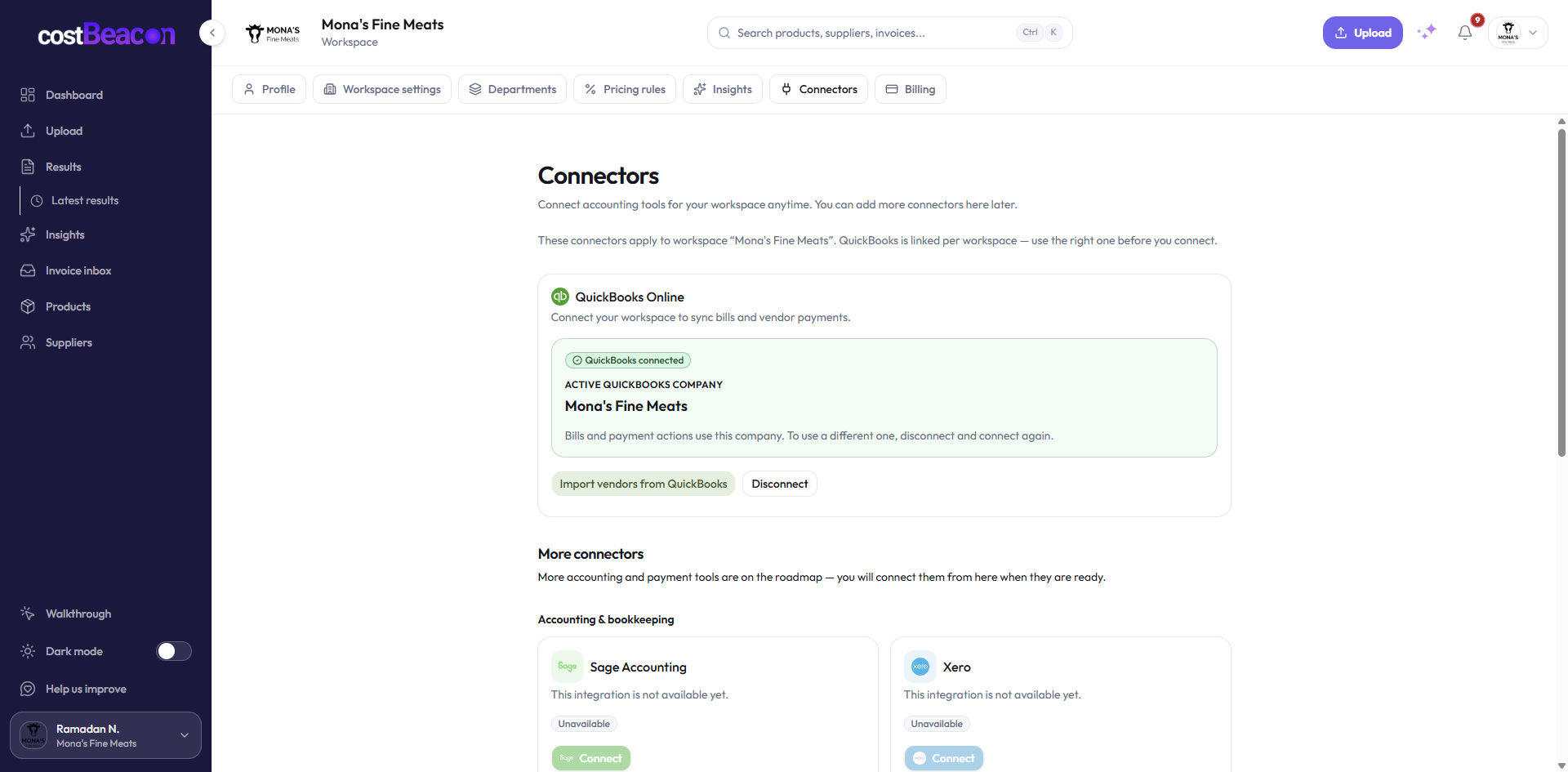
Plug into existing QuickBooks Online

Use QuickBooks Online? Connect in one click.

CostBeacon works on its own with your invoices. If you use QuickBooks Online, you can optionally connect in the app to push bills and PDF attachments, with no retyping line items.

  • Optional plugin, turned on only when you need it
  • Sync bills from processed invoices
  • Attach source PDFs to your books
Upload an invoice free

Fast start

Upload one invoice and see what changed

Start with a recent supplier bill. CostBeacon extracts the line items, builds the first cost snapshot, and starts surfacing product-level price movement.

Start with one invoice

No credit card required · View pricing · Sign in

Drop your first invoice PDF, scan, or photo
INV