
Supplier price tracking software
See supplier cost changes before they reach your margin.
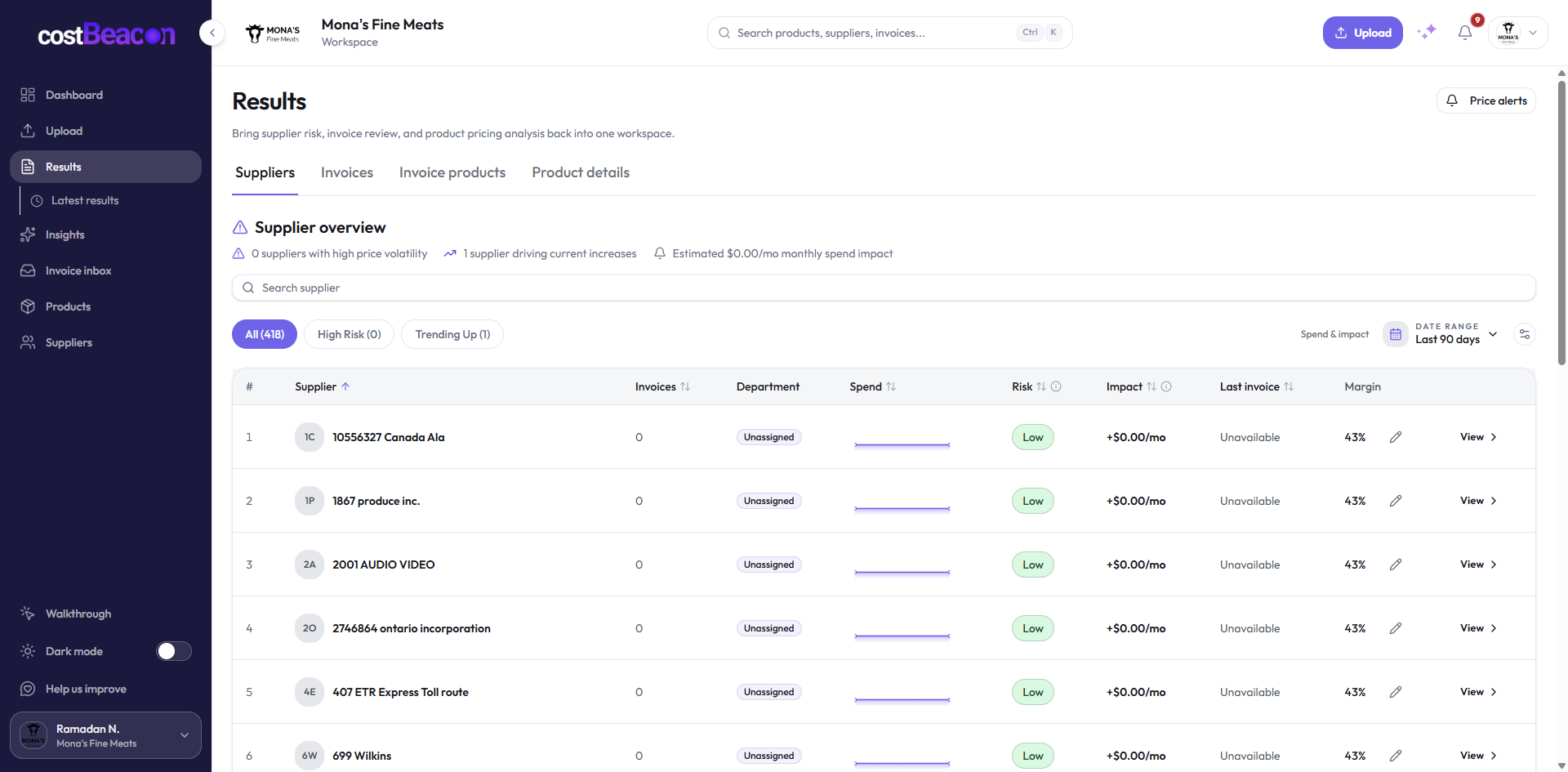
CostBeacon extracts line-item costs from supplier invoices, builds product history, and keeps the source bill attached to every price-change alert.
Organic Sunflower Oil 5L
SKU 15873 · Matched
- Previous unit cost
- $21.60 6 May 2024
- Current unit cost
- $23.40 14 May 2024
- Change
- +$1.80 +8.33%
Private by designWe never share your data.
Built for operatorsFast to learn. Easy to trust.
Real invoice evidenceSee the source behind every change.
Weekly time saverStop manual checks and guesswork.
The outcome
Stop missing supplier price changes in PDF piles.
Small cost moves hide inside scans, fees, discounts, and changing units. CostBeacon turns those bills into a short review queue—product, delta, and source invoice—so you can act before month-end.
- Review the newest processed invoices first
- See which recurring line moved and by how much
- Open the source before you renegotiate or reprice
How it works
Upload. Extract. Review what moved.
One connected path turns each supplier bill into evidence your team can check.
- 01
Upload invoices
Add supplier bills as PDFs, scans, or photos.
- 02
Extract line items
Capture products, quantities, unit costs, fees, discounts, suppliers, and dates.
- 03
Review alerts
See product cost history and price-change alerts backed by the source invoice.
Product proof
Evidence stays attached to every alert.
A percentage alone is not enough. Keep the recurring product, earlier unit costs, supplier, dates, and invoice references together so the change can be verified.
- Invoice-backed
- Open the bill behind the change.
- Product history
- Review unit costs across recurring lines.
- Supplier pressure
- See where review should start.
Invoice retainedThe source remains available for review.
Line matchedRecurring products build a comparable history.
Change surfacedMovement appears with its supplier context.
Across recurring invoices
Track the product history, not an isolated PDF.
Repeated supplier lines become a product catalog you can filter by supplier and price activity. That makes a quiet increase easier to find before the next order.
Explore product price tracking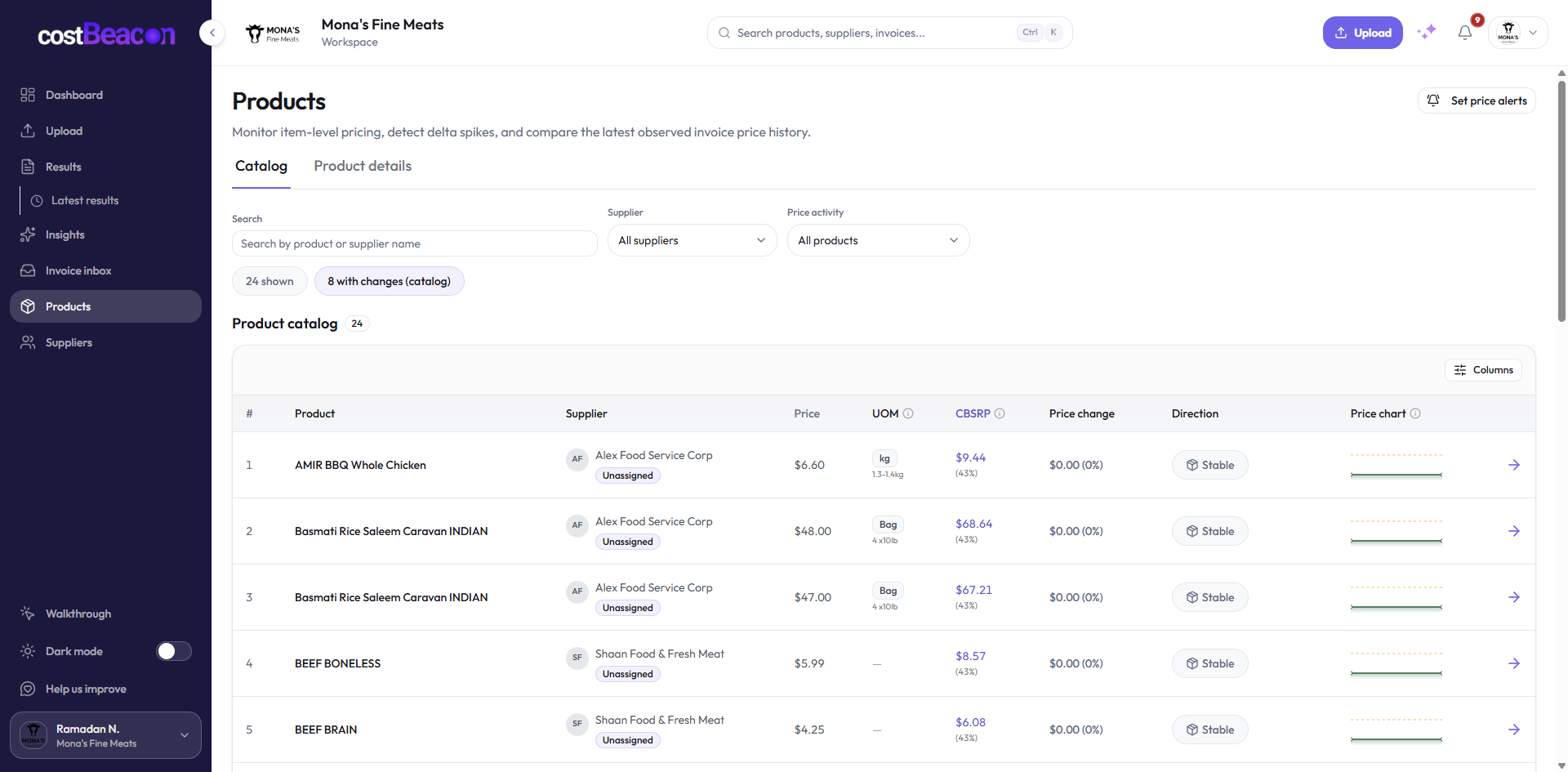
Manual vs automated
Spreadsheet tracking vs CostBeacon
Keep the comparison grounded in the work an operator repeats after every new invoice.
| Spreadsheet tracking | CostBeacon |
|---|---|
| Manual PDF review and data entry | Upload invoices and extract line items automatically |
| Hard to normalize units and recurring products | Track product history across repeated supplier invoices |
| Alerts depend on someone checking the sheet | Price-change alerts surface movement for review |
| Evidence is scattered across folders and files | Alerts stay tied to the source invoice |
FAQ
Supplier price tracking questions
Open the practical answer without leaving the page.
What is supplier price tracking software?
It tracks what suppliers charge for products over time so teams can see price increases, cost creep, and margin pressure earlier.
Can CostBeacon track prices from PDFs and photos?
Yes. CostBeacon processes supplier PDFs, scans, images, and invoice files uploaded by your team.
Does CostBeacon replace accounting software?
No. CostBeacon focuses on invoice extraction, product cost history, and supplier alerts. Accounting software remains your system for books and payments.
Can I use CostBeacon without QuickBooks?
Yes. QuickBooks Online sync is optional.
How do price-change alerts work?
CostBeacon compares extracted product costs against invoice history and surfaces movements that need review—with the source invoice attached.
Start with one invoice
Stop tracking supplier prices manually.
Upload one invoice and see CostBeacon turn a supplier bill into product history and alerts.