

Supplier procurement management starts with what actually changed
Supplier procurement management is often described as vendor sourcing, purchasing workflows, contract control, and supplier relationships. Those pieces matter, but for many growing businesses the margin problem starts somewhere more ordinary: the supplier invoice.
CostBeacon turns this workflow into an invoice-backed system: see the invoice price tracking product, compare plans and trial options, or review our supplier price tracking software page for the commercial overview.
A supplier can remain approved, orders can arrive on time, and accounting can still post the invoice while the unit cost of an important product quietly increases. That is why an invoice-first procurement process focuses on the evidence inside every bill: supplier, item, quantity, unit of measure, unit cost, fees, and invoice date.
Turn invoices into supplier intelligence
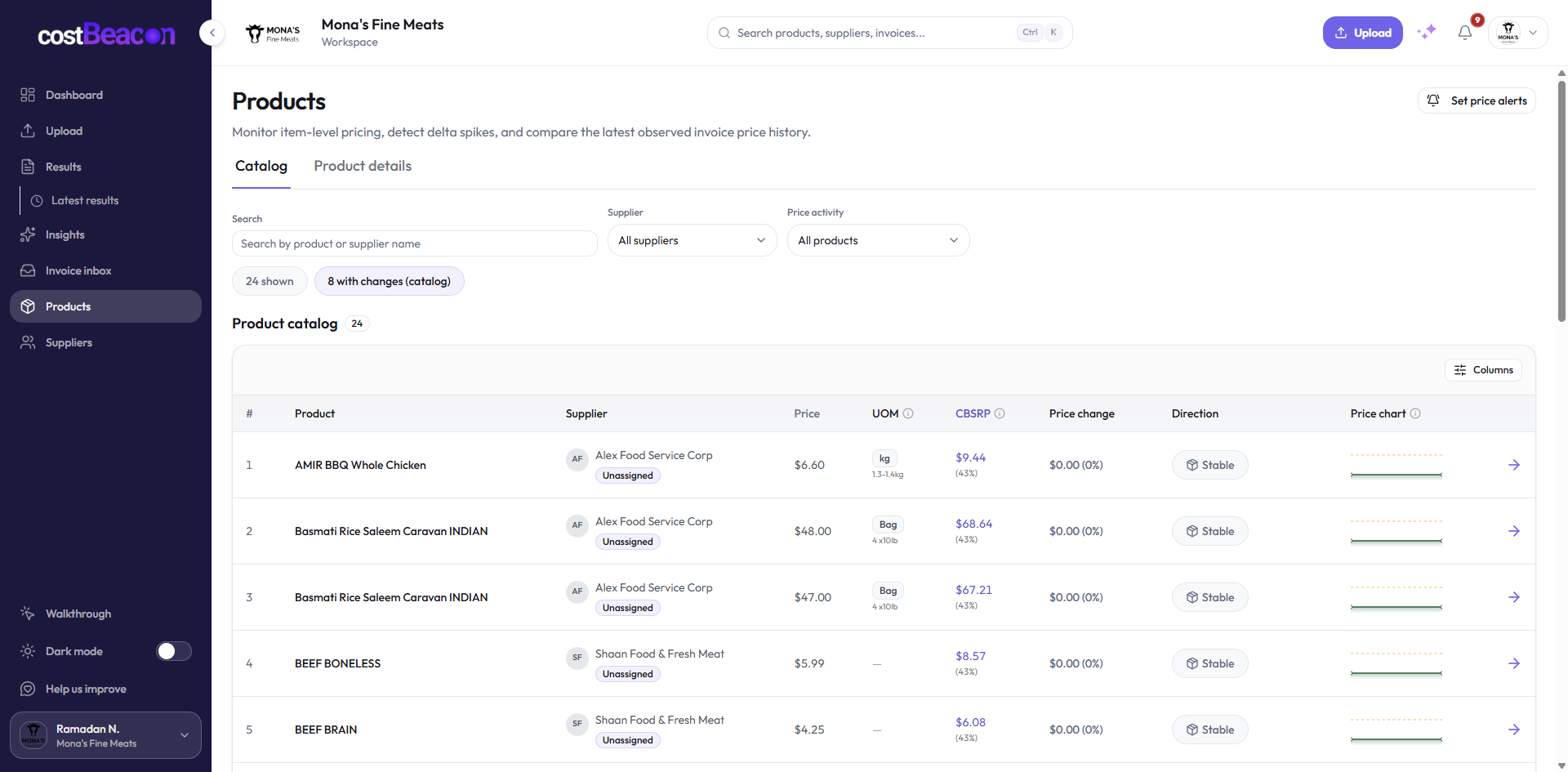
CostBeacon is built around that practical layer. Teams upload supplier invoices, CostBeacon extracts the invoice and line-item detail, and the product history becomes easier to review over time. Procurement discussions stop depending on memory and start depending on a cost record.
Invoice received
PDF or image from supplier
Extract lines
Supplier, item, quantity, unit cost
Cost history
Product record gains context
Review pressure
Price movement and margin risk
Know which supplier signals deserve attention
Not every supplier needs the same level of review. The useful question is which suppliers and items are creating cost movement that can change margin. A simple signal table makes the review concrete.
Prioritize supplier conversations by risk and spend
Procurement time is limited. A small price move on a rarely purchased product may only need monitoring, while a smaller percentage change on a high-volume item may deserve immediate supplier follow-up.
Where CostBeacon fits
CostBeacon does not replace supplier relationships or broader procurement judgment. It strengthens the cost evidence layer by extracting invoice data, building supplier and product history, and surfacing price changes that should be reviewed.
Clean invoice, no action required.
Estimate monthly pressure and check whether it affects margin.
Negotiate, question the charge, change order quantity, or reprice.
The takeaway
Supplier procurement management becomes more useful when it is connected to invoice-level truth. The sooner a team sees which suppliers and items are moving, the sooner it can negotiate, adjust ordering, review pricing, or investigate the charge before margin loss spreads.
Final takeaway: invoice-first cost visibility gives teams better timing. When supplier cost changes become visible at the line-item level, operators can act before those changes become permanent margin loss.
FAQ
Common questions
How does CostBeacon help with supplier costs?
CostBeacon extracts line-item costs from supplier invoices and tracks product history so you can see price changes before margin is squeezed.
Do I need QuickBooks?
No. CostBeacon works from uploaded invoices; QuickBooks Online sync is optional.